
ReEdO Watchkeeper for Windows

Your meetings, on watch.

Watchkeeper sits in on your meeting, listens as people speak, answers the questions put to you, and writes the minutes. Your voice stays on your PC.

Windows 10 / 11 · Teams, Zoom, Meet, Webex · English + 24 languages

MV Example - drydock planning REC 00:14:32 ReEdO AI

Live transcript

Sarah (Yard PM)

We can start the hull blasting on the 14th if the class surveyor confirms.

Me

Class is booked for the 13th, so that works.

Omar (Superintendent)

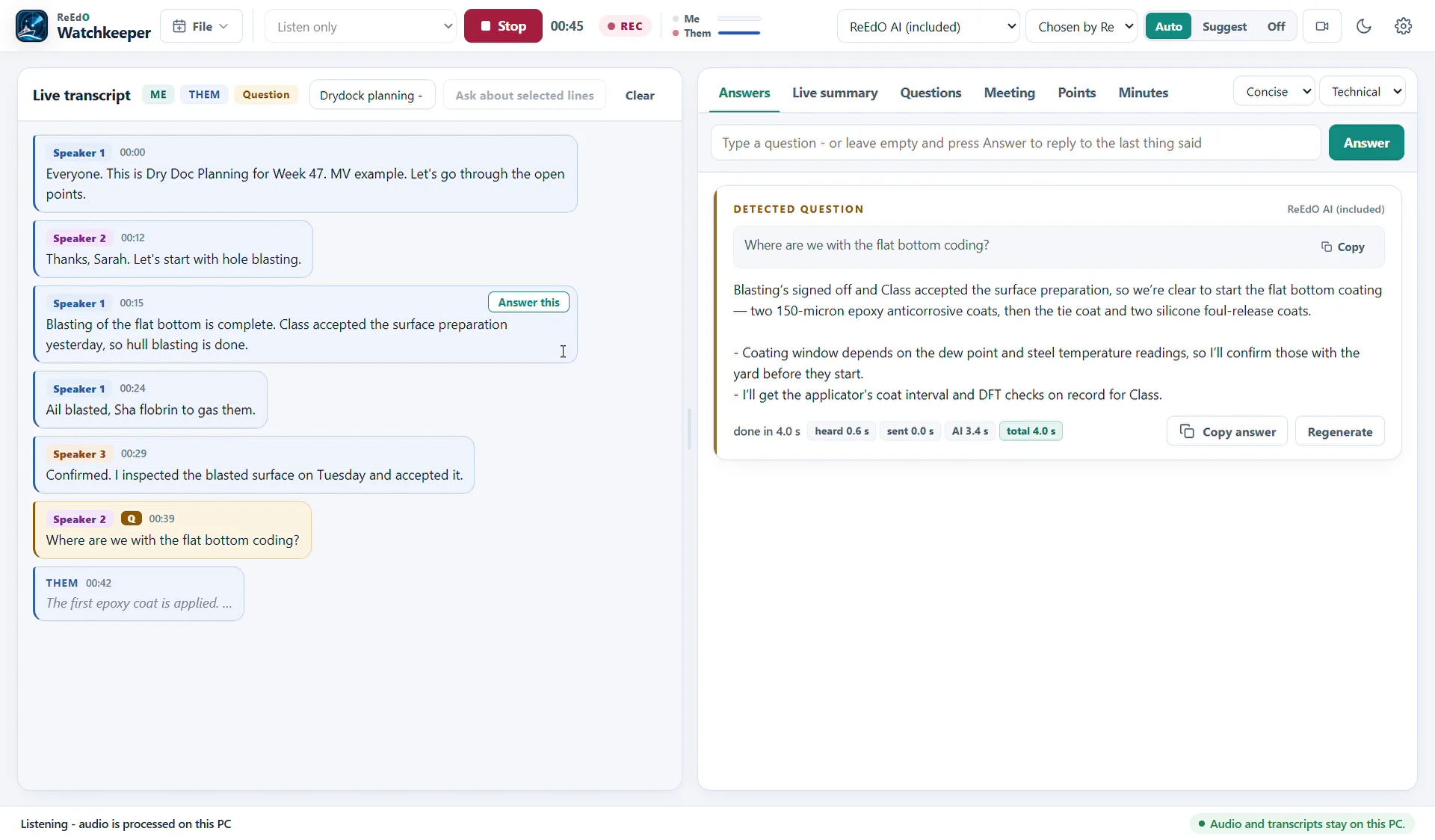
What's the planned duration for the tailshaft survey?

Q · Tailshaft survey duration

Plan five working days: two for withdrawal and inspection, two for measurements and class attendance, one for refit. Confirm the bearing clearance report before the 13th.

Answered in 1.8 s · speech stayed on this PC

Live summary

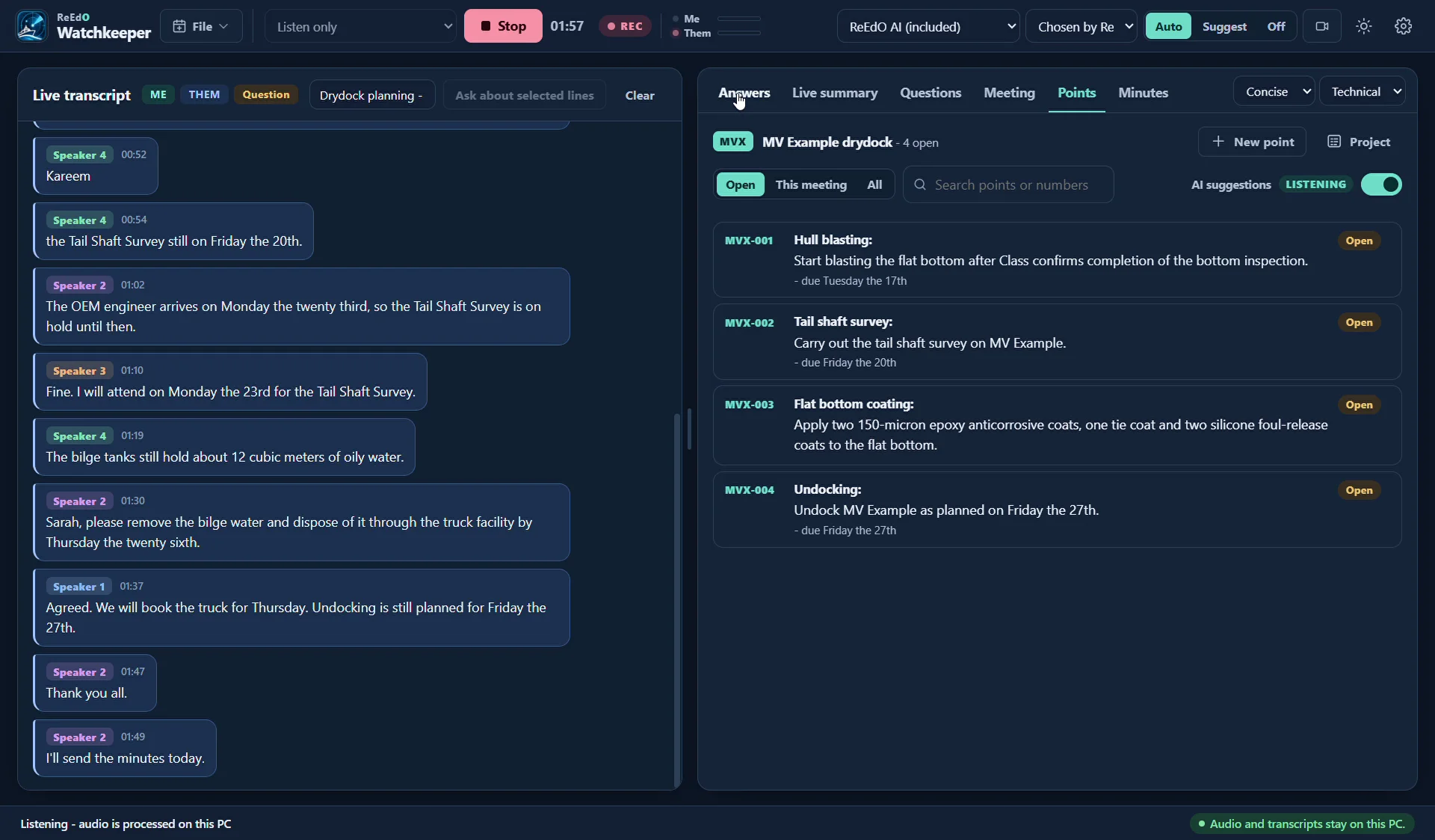
Decisions: hull blasting from 14 Nov. Actions: send bearing clearance report - Yard PM, by 12 Nov.

Live HTML demo from a JSON script: no video download and no remote service.

  • Speech written on your PC
  • Answers in seconds
  • Minutes in Word and PDF
  • Built by a marine chief engineer

Before · During · After

One assistant for the whole meeting.

Set up in minutes, never miss a question in the room, and walk out with the minutes already written.

Act 1 · Before

Walk in prepared.

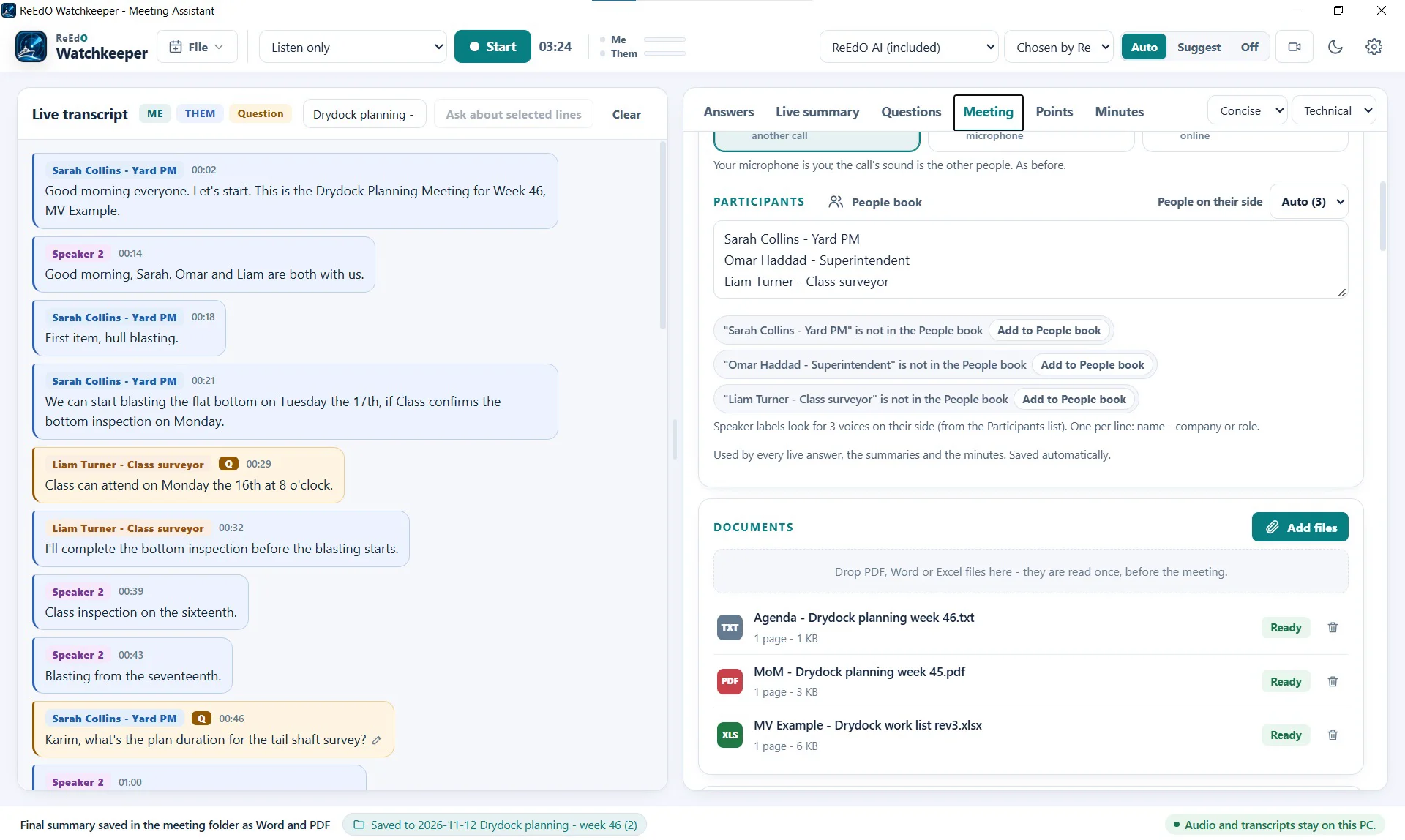
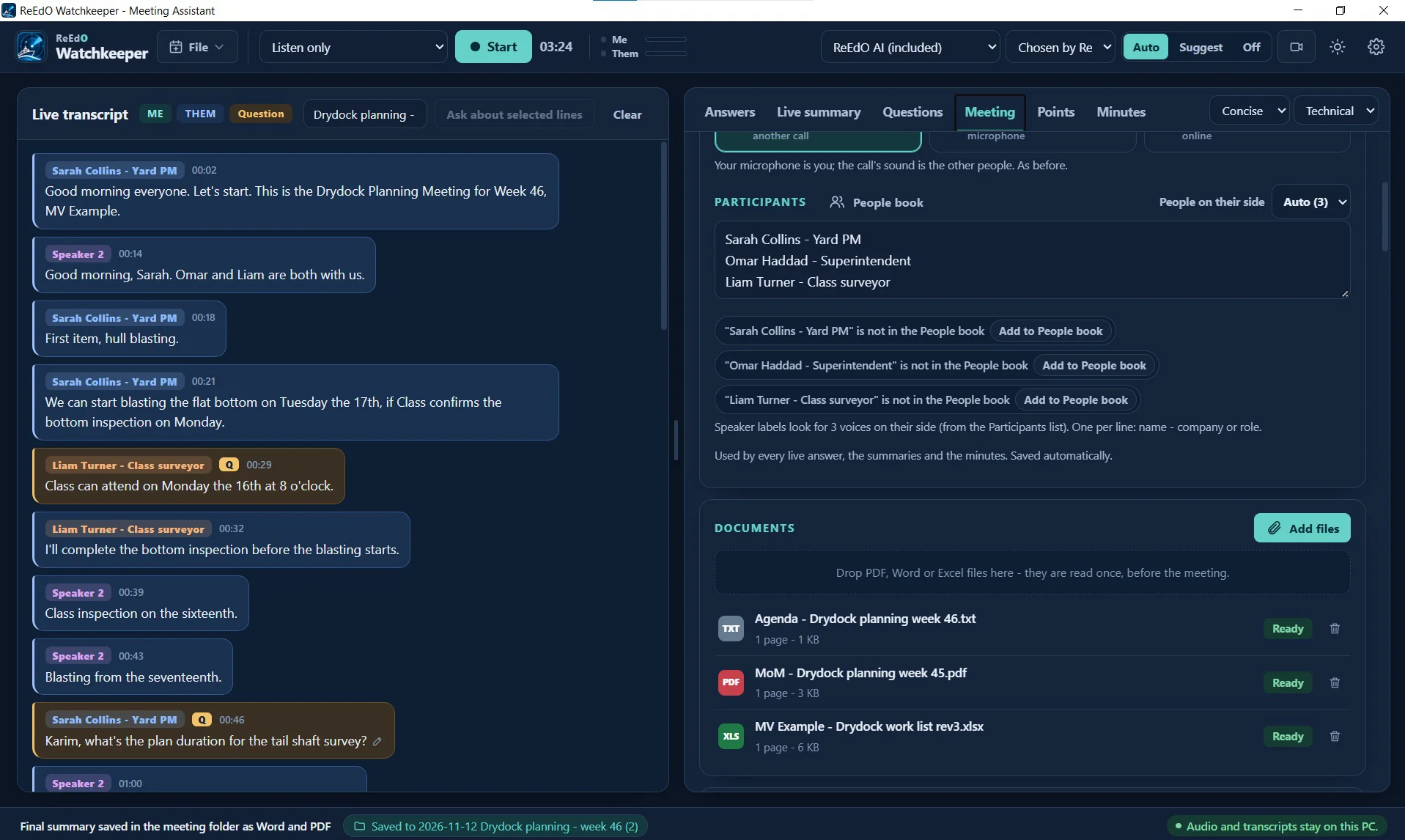
Add the brief, the agenda and the documents. Watchkeeper turns them into one meeting brief and the questions worth asking.

  • Reads the PDF, Word and Excel files for you
  • Questions shaped by your role in the meeting
  • What you agreed with these people last time

Meeting tab: brief, agenda, documentsMeeting tab: brief, agenda, documents

Camera view

Pro

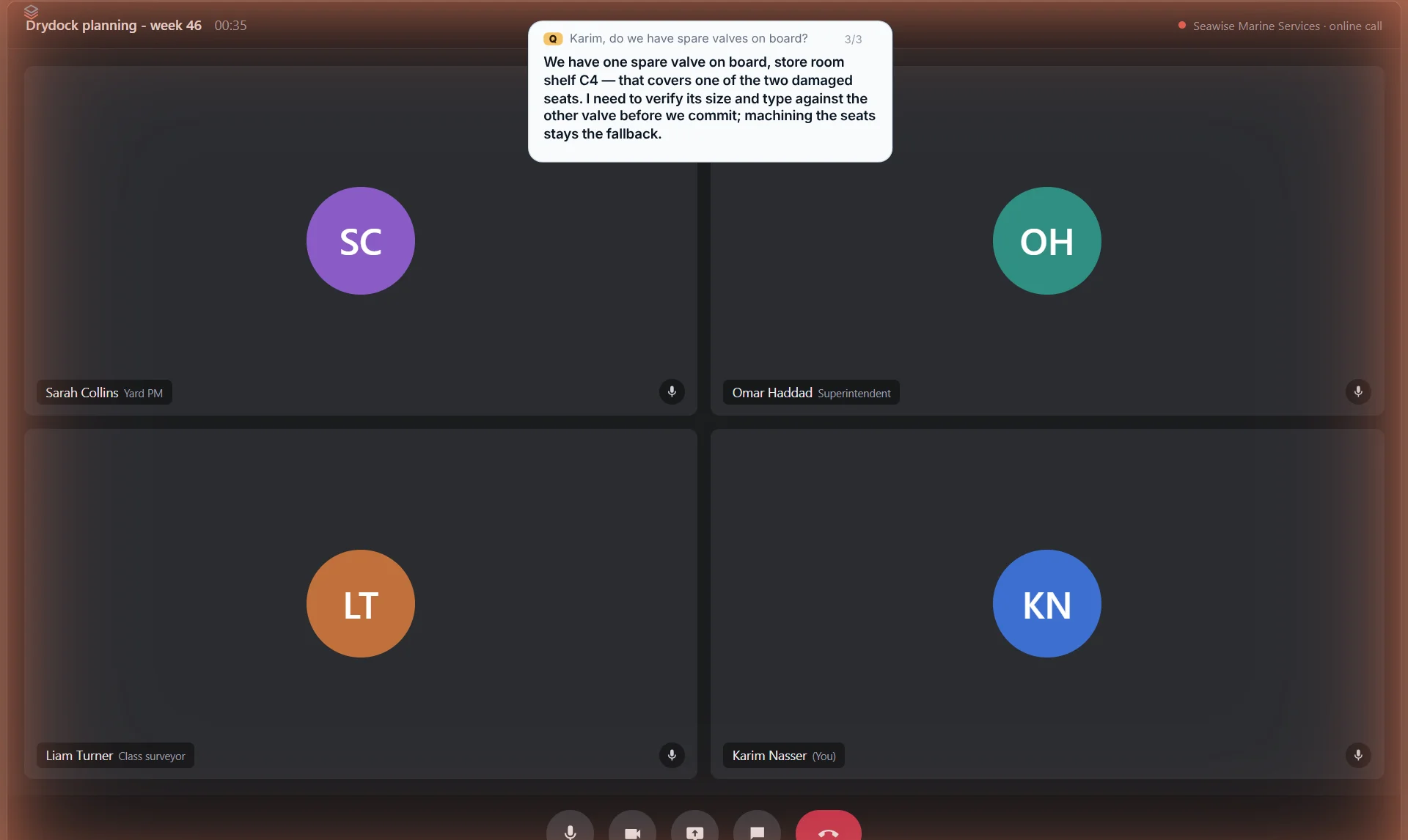
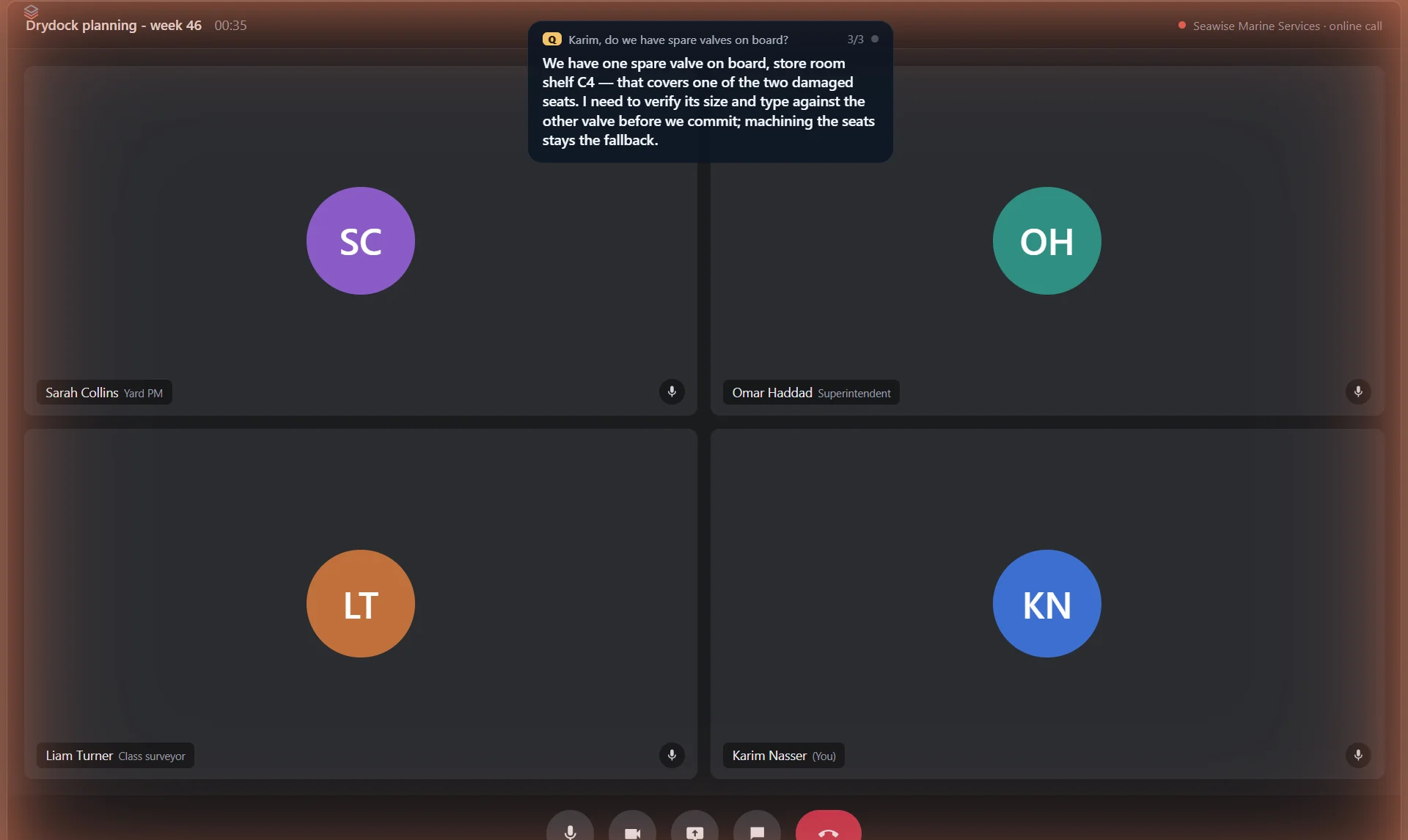
Eye contact, with answers.

The answer appears in a small window under your webcam, so you keep looking at the people you're talking to. It never shows up in a shared screen or a recording.

Camera view: the answer under the webcamCamera view: the answer under the webcam
Real Camera view captures from Watchkeeper 1.3.1, in Day and Night. Camera view keeps its own background setting.

Talk

Add-on

Talk instead of typing - anywhere.

Hold Z and X, speak, and let go. Your words land where the cursor is (Outlook, Teams, WhatsApp, Word, a browser), cleaned up with your own terms and typed on your PC.

Move your mouse and the Eyes follow.

Outlook · New message Hold Z + X

To: Omar Haddad · Subject: Tailshaft survey

Hi Omar, the yard confirmed hull blasting from the 14th. Please plan five working days for the tailshaft survey.

Illustration of Talk dictation (fictional demo contact). The Eyes follow your pointer on desktop and your scrolling on phones.

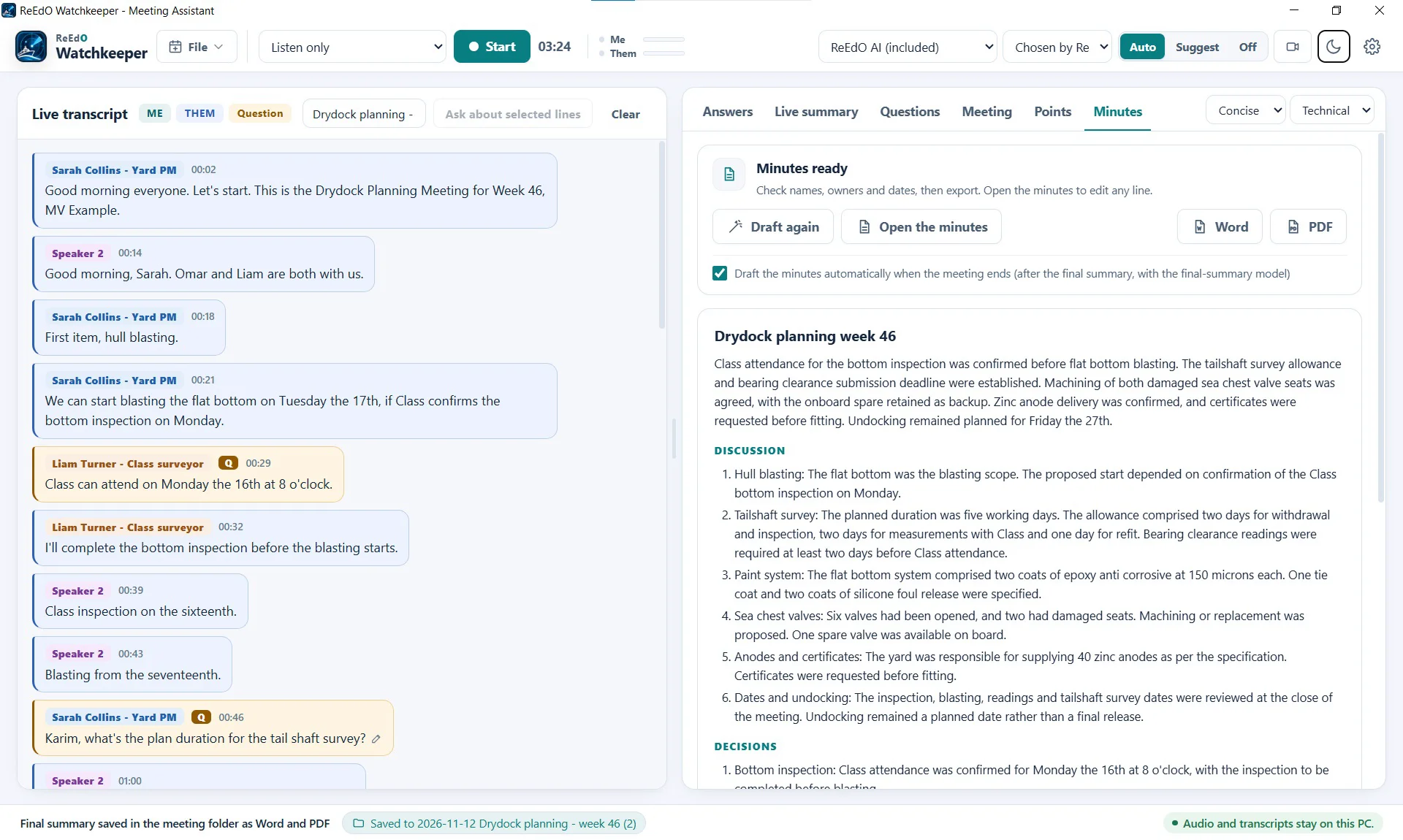
Minutes

A record you would sign.

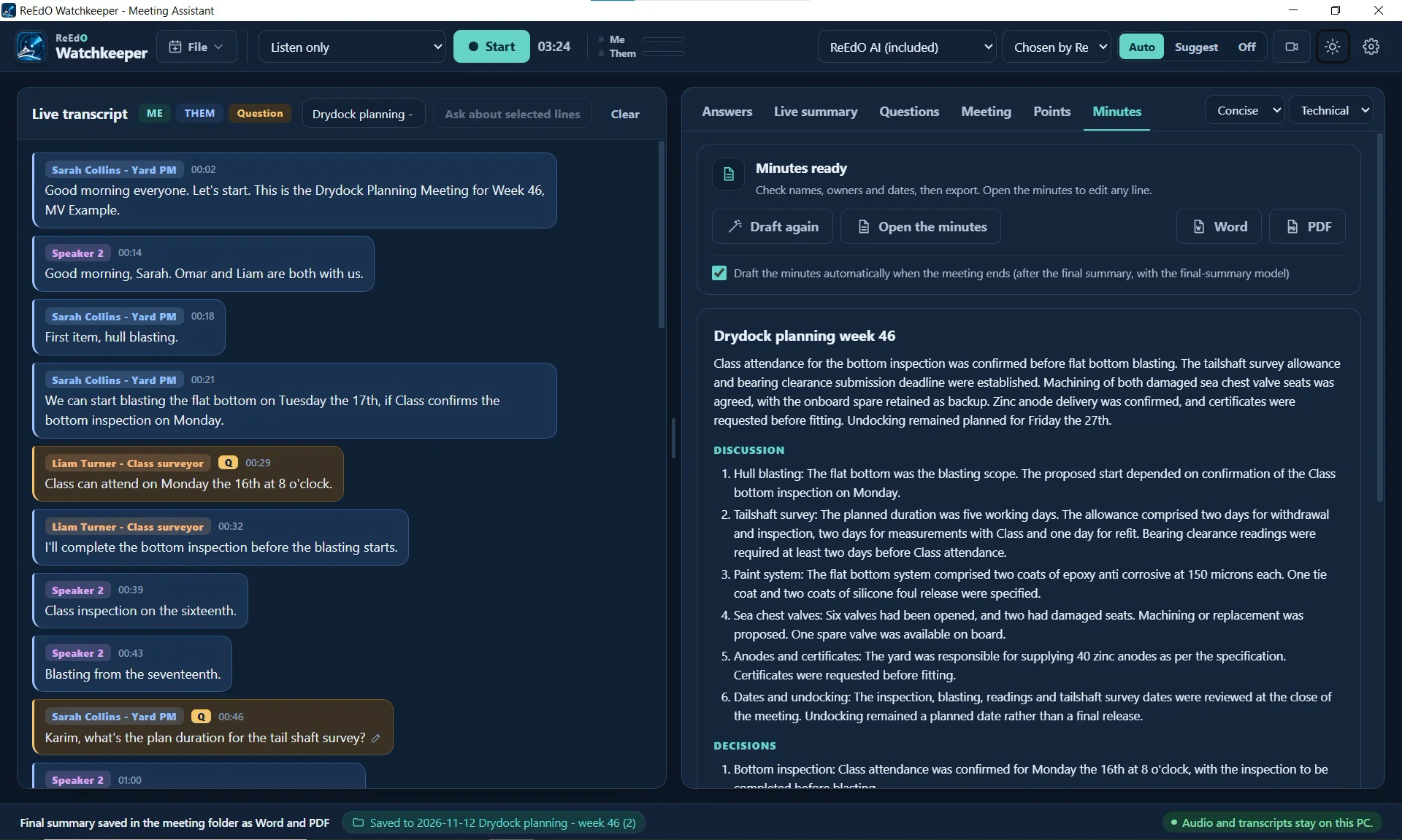
Third person, plain language, short topics, decisions and actions with owners and dates, in the style you choose, with your company logo. Word or PDF in one click.

See a sample PDF Download the Word file

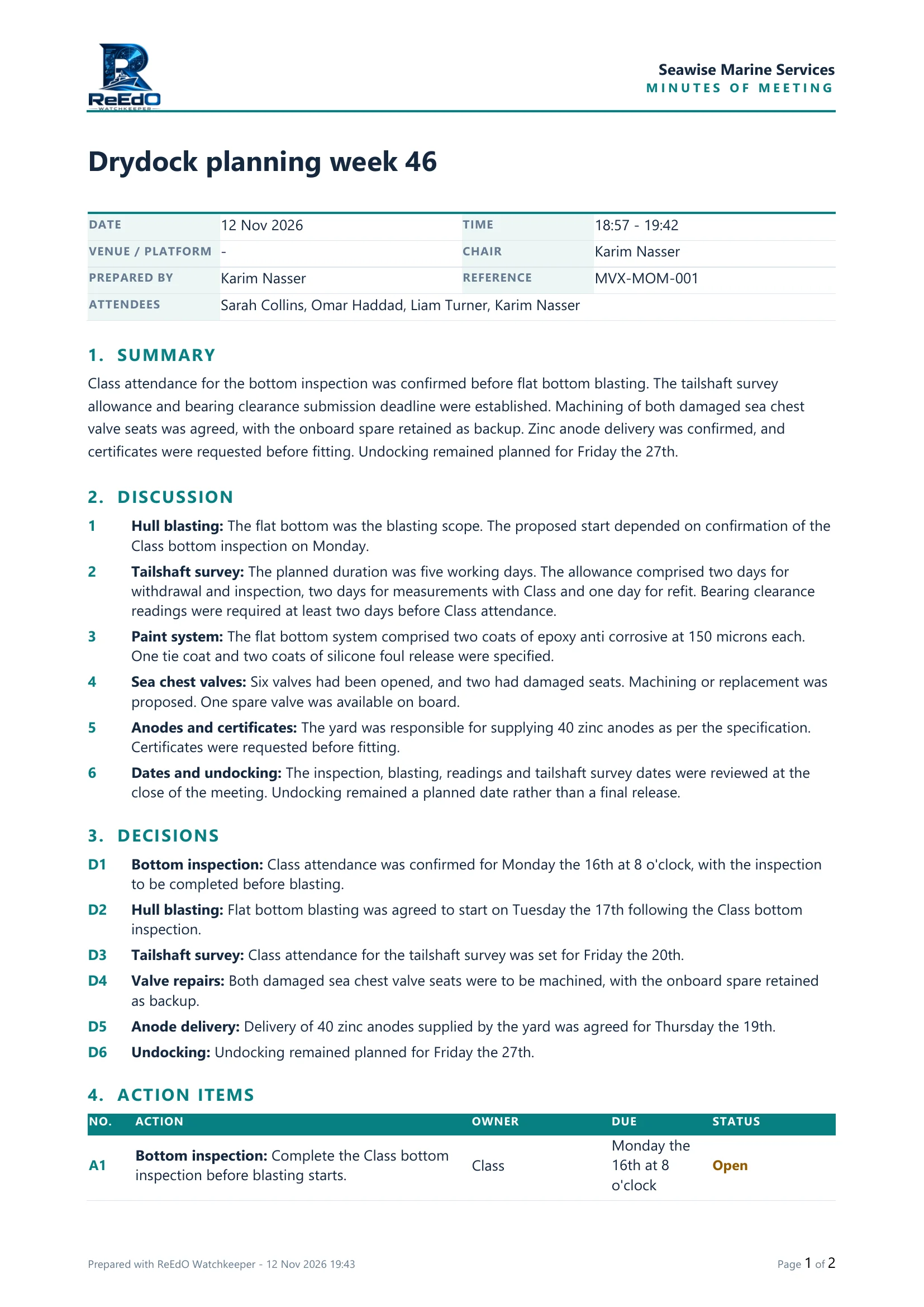
Page one of the exported minutes PDF for the fictional drydock meeting
Page 1 of the real exported PDF. Open the PDF.

ReEdO Watchkeeper · Minutes

MV Example: Drydock planning, week 46

Minutes of meeting · Seawise Marine Services (fictional)

  • Date: 12 November 2026 · 10:00–10:45
  • Attendees: Sarah Collins (Yard PM), Omar Haddad (Superintendent), Liam Turner (Class surveyor)

Hull blasting

The yard confirmed that hull blasting can start on 14 November if the class surveyor confirms attendance. Class is booked for 13 November, so the date stands.

Tailshaft survey

The planned duration for the tailshaft survey is five working days: two days for withdrawal and inspection, two for measurements and class attendance, and one for refit.

Actions

Scroll horizontally to see all columns.

Action Owner Due
Send the bearing clearance report Omar Haddad (Superintendent) Before 12 November
Confirm class attendance for the tailshaft survey Liam Turner (Class surveyor) 13 November
Start hull blasting Sarah Collins (Yard PM) 14 November

Privacy

Your voice stays on your PC.

Speech becomes text on your computer. Only the few lines needed for an answer leave it. ReEdO AI keeps none of them.

Privacy and security

  1. Your PC

    Audio, recording, transcript, meetings, minutes and voices. All of it stays here.

  2. ReEdO AI

    Gets only the text it needs, uses a model that doesn't keep data, and stores nothing.

  3. The answer

    Back on your screen in seconds. Updates are signed; nothing installs without you.

Plans

Start simple. Go further when you need it.

Every plan includes ReEdO AI, with no separate AI account. You can try the next level for up to 3 days.

  • Standard

    15 AI meeting-hours / month

    USD 10 / month

    Online transcription (Arabic meetings, English live text): 60 minutes / month · included on request

    • Live transcript on your PC
    • Ask AI and suggested answers
    • Live and final summary
    • Minutes in Word and PDF
    Choose Standard
  • Most chosen

    Pro

    30 AI meeting-hours / month

    USD 20 / month

    Online transcription (Arabic meetings, English live text): 180 minutes / month · included on request

    • Everything in Standard
    • Auto answers and Camera view
    • Questions to ask, meeting brief
    • Speaker names and People book
    Choose Pro
  • Premium

    60 AI meeting-hours / month

    USD 30 / month

    Online transcription (Arabic meetings, English live text): 360 minutes / month · included on request

    • Everything in Pro
    • In the room and hybrid meetings
    • Ask my meetings, open actions
    • Minutes styles, Excel import
    Choose Premium

Talk is an add-on for any plan.

“I built Watchkeeper for the meetings I sit in every week - yards, class surveyors, vendors. It had to be right, fast and private.”

Mohamed Adel Elreedy Founder, Chief Engineer

Questions

Good to know.

Does my audio leave my PC?

No. Speech becomes text on your PC. Only the text needed for an answer or the minutes goes to ReEdO AI, and it keeps none of it.

Does it work with Teams, Zoom and Meet?

Yes. Watchkeeper listens to the sound coming from your PC, so any meeting program works, and so do meetings in a room.

Which languages?

English meetings are written live on your PC. Arabic meetings are recorded and turned into a transcript, summary and minutes after the meeting. Both are requested once through Settings > About > Request cloud speech.

Do I need my own AI account?

No. ReEdO AI is included in every plan. Pro and Premium can add their own accounts too.

What if I am offline?

Transcription and recording keep working. AI answers return when the connection does. The licence also works offline for 14 days.

Can I try it first?

Yes. Install it and request a trial from the app. Higher levels can be tried for up to 3 days.

Does the AI change what people said?

No. Watchkeeper keeps three versions of each finished line: live, second listening and merged. If the versions differ, it merges them using only words that were heard or names from your meeting. An invalid merge leaves the live text intact. Hover a line to see every version.

Can it carry open actions from one meeting to the next?

Yes, with Projects (Premium). Each open point keeps its number and history until it's closed, and today's meeting starts with the open points on the agenda.

Are the minutes written before I check the names?

No. After Stop, the steps run in a fixed order: clean-up and merge, your review of words and names, then the project reasoning pass and your review of points where applicable. Only then are the summary and minutes written with your corrections.

Put your next meeting on watch.

Install in minutes. Your first minutes the same day.

Shown once per visit. Close it any time and it stays away until your next visit.